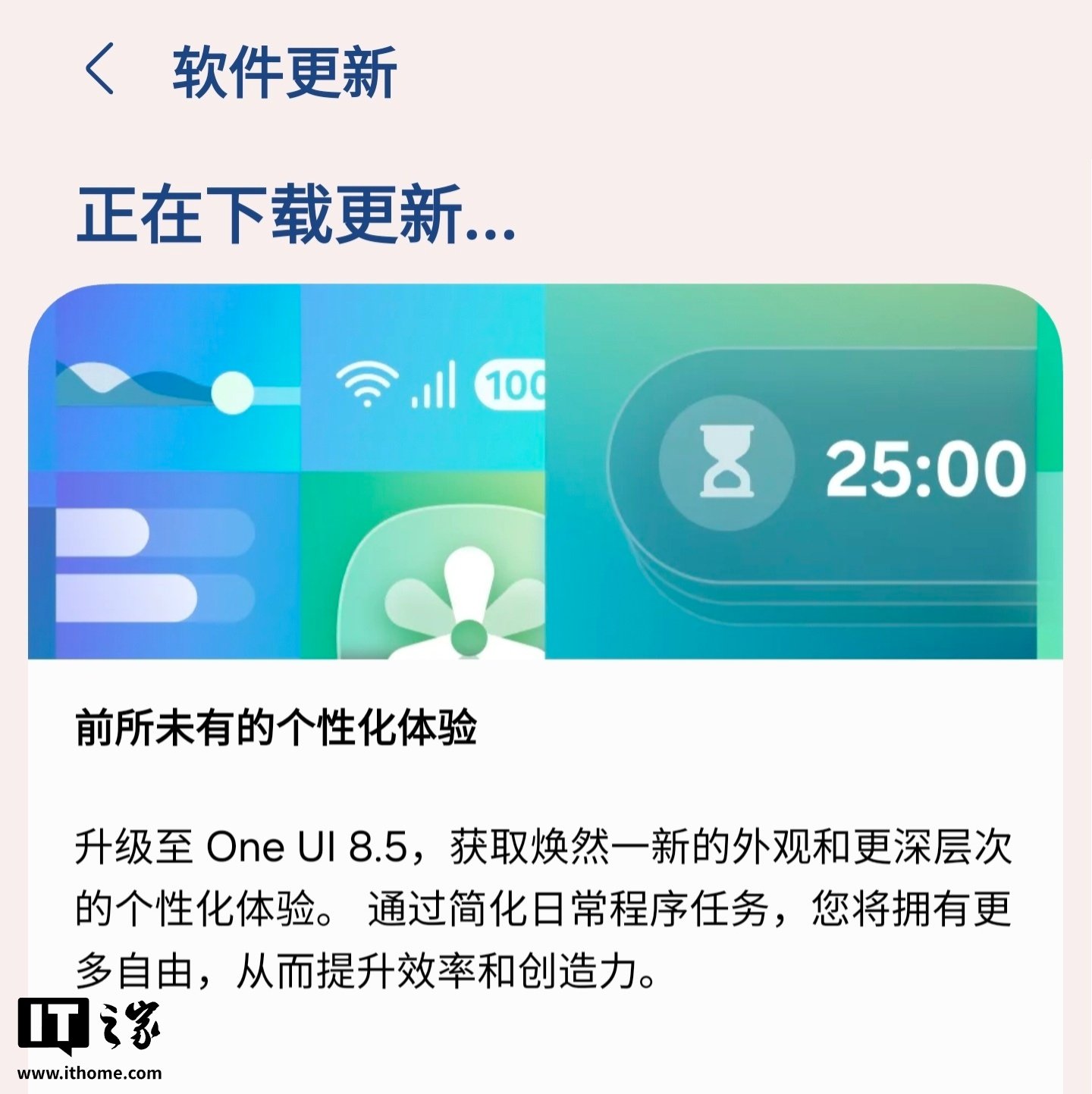
Samsung has started pushing One UI 8.5 to the China version of the Galaxy S23 Ultra, and the update looks like more than a routine visual refresh. Samsung describes it as a broader upgrade focused on appearance, personalization, productivity, and day-to-day convenience.
At the design level, Samsung says the new release blends immersive visuals with deeper customization. Transparent blur effects are meant to add more layering, floating elements are designed to react more naturally during interaction, and the interface overall is meant to feel cleaner and easier to focus on. The company is also emphasizing more approachable data visualization and a design language that feels more personal without becoming hard to navigate.

One of the more notable changes in this Samsung update is how AI image creation now works inside Photo Assist. Instead of saving every intermediate result before trying another tool, users can keep generating new versions directly from the results page. Samsung also says the full creation history can be reviewed later, making it easier to go back and pick a preferred version.
Bixby is getting a substantial usability push as well. Samsung says users can now speak more naturally when looking for a setting or feature, without needing to remember the exact wording of a command. The assistant is also positioned as a faster path for both quick answers and more detailed information, so users don’t have to bounce between multiple searches and apps as often. On top of that, conversation history is now easier to access from a side panel inside the Bixby app.
Customization across the lock screen and wallpaper system is another big part of One UI 8.5. Photos of people or pets can now be adjusted automatically so they fit around clocks and widgets more neatly on the lock screen. Samsung is also adding downloadable wallpapers with interactive elements, and more clock fonts can now be adjusted for weight so the lock screen can be tuned more precisely to match a user’s preferred look.
The update also introduces smaller quality-of-life features that add up over time. Weather conditions can now appear as the background when an alarm goes off, giving users an immediate sense of what the day looks like. The Clock app adds a slider-based time zone converter so comparing cities becomes easier at a glance. In Samsung Notes, users can insert tables with adjustable column width, colors, and borders, and there’s support for automatic calculations to speed up more structured note-taking.
Device and file sharing are being expanded, too. Samsung says files stored on other Galaxy phones, tablets, and PCs can now be accessed through the My Files app on the phone, and phone-based files can also be reached from other Samsung devices, including TVs. The company is also adding easier hotspot sharing, family device sharing, faster Smart View shortcuts, and broader continuity features around screen sharing, camera sharing, storage access, and multi-control.
Audio, accessibility, and control settings are getting their own changes. Auracast broadcasting and listening options are now grouped more clearly under an audio broadcast menu, and Samsung says users can even broadcast their own voice through the phone’s built-in microphone. The old pointer-stop automation feature has been split into separate hover actions and corner actions, while the quick settings panel is now more customizable in terms of adding, removing, regrouping, and reordering controls.
Battery and privacy tools are also being refined. Samsung says the battery settings screen has been redesigned to show remaining time, charging status, and recent usage trends more clearly. Power Saving Mode can now be used in either a standard or maximum configuration, depending on how aggressively a user wants to stretch battery life. On the privacy side, the phone can warn users when app permissions may put personal data at risk, and there’s now an option to temporarily disable the automatic blocker for 30 minutes before it turns itself back on.
Rounding out the update are several workflow-focused extras, including reminder notifications that can be triggered before tasks are due, partial screen recording for capturing only a selected area of the display, and calculator suggestions that surface copied numbers or formulas as soon as the app is opened. Taken together, the release suggests Samsung wants One UI 8.5 on the Galaxy S23 Ultra to feel like a practical platform upgrade, not just a cosmetic patch.