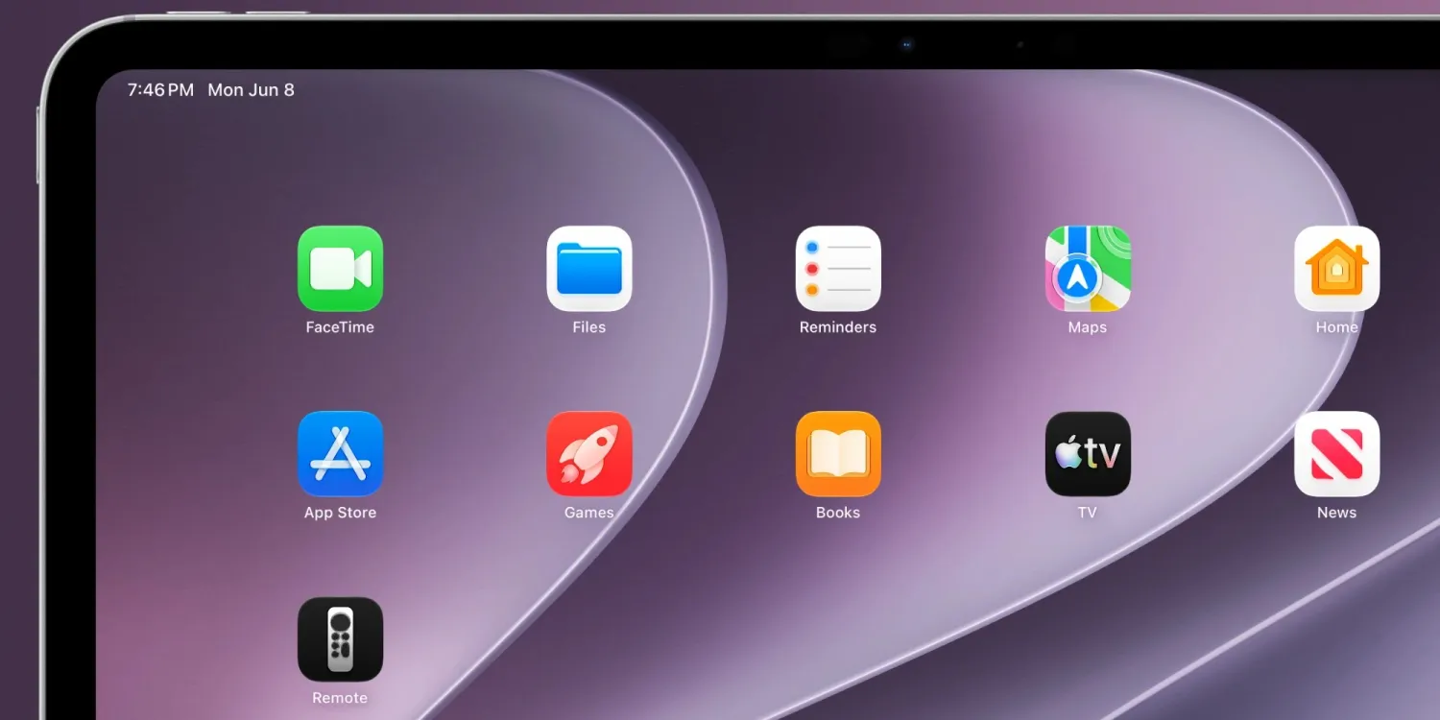
Apple is making the Apple TV Remote easier to reach in iOS 27. The new system allows users to place the virtual remote directly on the iPhone Home Screen, instead of relying only on the Control Center shortcut.
The change is small, but it should be useful for people who often control an Apple TV from their phone. In earlier versions of iOS, the built-in remote was available through Control Center, which worked well enough but still required an extra swipe and tap before users could start navigating the TV interface.
The Apple TV Remote was once a standalone App Store app. Apple removed that separate app in 2020 and later folded the remote controls into iOS as a system feature. With iOS 27 and iPadOS 27, Apple is bringing back some of that app-like convenience by letting users keep a visible Remote icon on the Home Screen.
After upgrading to iOS 27 Developer Beta 1, users can search for “Remote” through Spotlight and drag the icon onto the Home Screen. They can also find the Remote entry in the App Library and pin it from there.
For U.S. Apple TV owners, this could make everyday use feel more straightforward. The physical Siri Remote is easy to misplace, and many people already use their iPhone as the backup controller. A dedicated home screen shortcut means the remote can sit next to other media apps, smart-home tools, or streaming services where it is easier to spot.
The update also fits a broader pattern in Apple’s platform design. Instead of forcing users to remember where a system utility lives, Apple is giving more system features a visible place in the normal app grid. That makes the Apple TV Remote feel less hidden and more like a first-class control surface for the living room.
Apple announced the change as part of its WWDC26 software updates. As with other developer beta features, the exact behavior could still change before the public release, but the direction is clear: controlling Apple TV from an iPhone or iPad should become a little faster and a lot easier to discover.