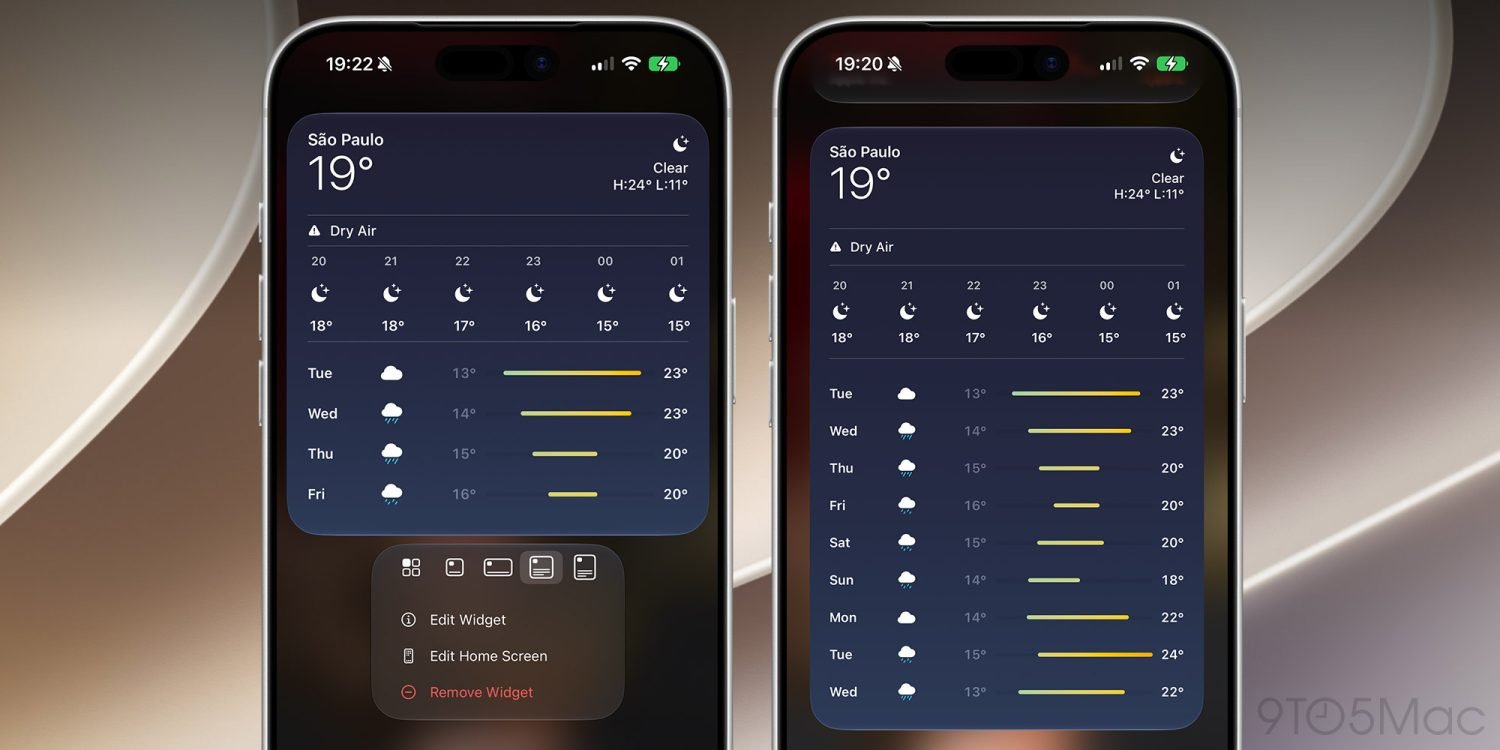
Apple is adding a new extra-large widget size in iOS 27, according to a report from 9to5Mac. The update does not only focus on Siri AI and search improvements; it also gives iPhone users a larger widget format for the Home Screen and Today View.
On current iPhone models such as the iPhone 17 series, iOS widgets generally come in three common sizes: a small 2×2 layout, a medium 4×2 layout, and a large 4×4 layout. With iOS 27, Apple is introducing a 4×6 option, creating a much taller and more information-dense widget area.
The new size is meant for apps that benefit from showing more content at a glance. Weather, calendar, reminders, news summaries, and dashboard-style apps are obvious examples. A larger widget can show more lines of information, more timeline context, or a more complete data view without forcing the user to open the full app.
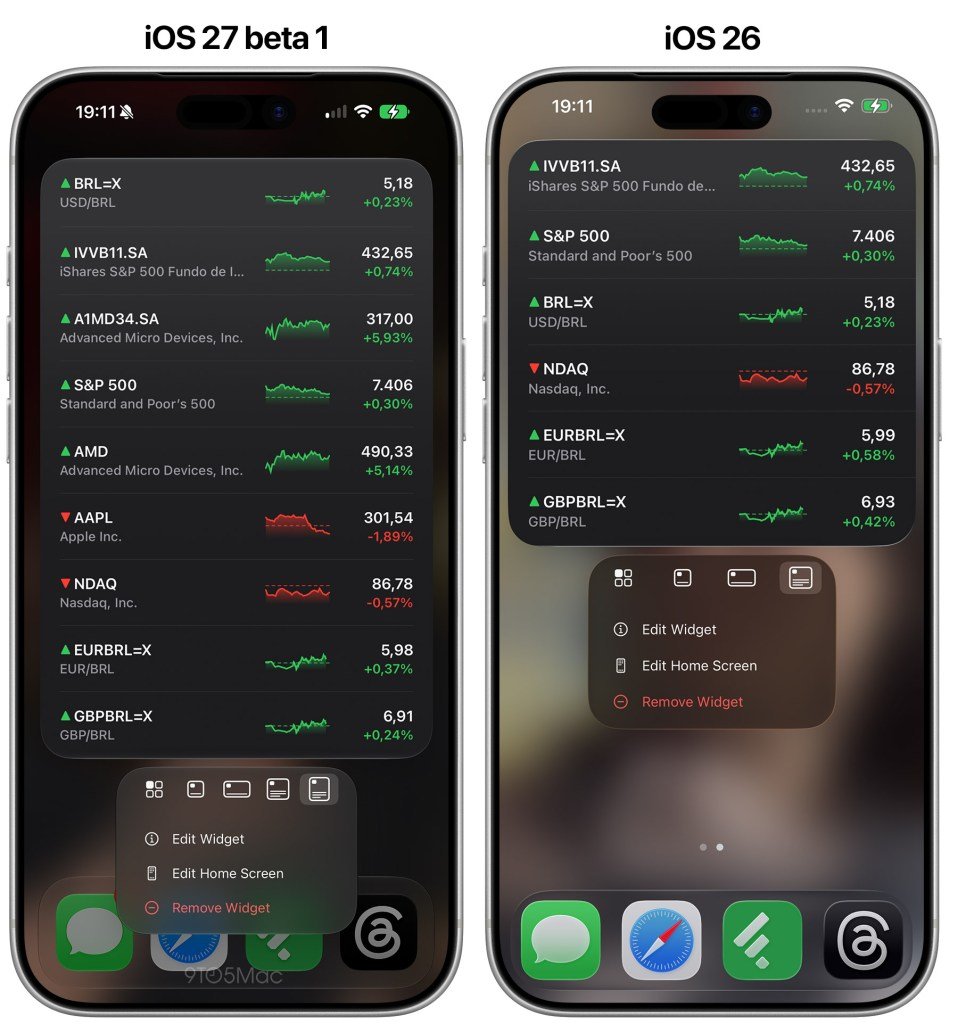
For users who rely heavily on widgets, the change could make the iPhone Home Screen feel closer to a lightweight information board. Instead of juggling several smaller widgets or opening multiple apps, a single 4×6 widget could display the most important details in one place.
Support is still limited for now. The report says only a small number of Apple’s own widgets currently support the new extra-large size. Third-party apps will need developer updates before they can use the format broadly.
That limitation is normal for a new widget size in a beta cycle. Developers will have to decide whether the 4×6 layout fits their apps, design larger widget views, and test how the expanded surface behaves across different iPhone models and display settings.
The feature also fits Apple’s broader direction in iOS 27. Alongside AI-assisted features, smarter search, and system refinements, Apple appears to be giving users more ways to make the iPhone interface useful without constantly jumping between apps.
For U.S. iPhone users, the practical takeaway is simple: iPhone widgets are becoming more flexible. If developers adopt the new format, the iOS 27 Home Screen could become a better place for calendars, task lists, weather forecasts, headlines, and other information that benefits from extra room.