The Colorful iGame M16 Origo is a 16-inch flagship gaming laptop that tries to stand out in a crowded category with more than just CPU and GPU numbers. In IT Home’s hands-on testing, the machine’s most unusual trick was its AI voice wake feature: when the laptop is shut down but the screen is open, saying the wake phrase can power it on without touching the keyboard or power button.
That feature is built around a low-power AI voice chip and a local offline wake engine. The laptop listens for the phrase “Xiao Xi Tong Xue,” then turns on and can move quickly into Windows Hello facial recognition. It changes the first step of using a PC from pressing a button to simply speaking from across the room.
The voice wake laptop idea is not just a demo. The review describes a late-night scenario where a user remembers they still need to export and send a presentation. Instead of leaving bed, pressing the power key, waiting for Windows, logging in, and hunting for the file, the user can wake the machine by voice and then rely on the rest of the ecosystem to reduce the friction.
Colorful also pairs the feature with what it calls a perimeter intelligent control ecosystem. When a paired phone approaches the iGame M16 Origo, the laptop can wake from the lock screen and unlock automatically. When the phone moves away, the PC locks itself. The underlying logic uses Bluetooth signal strength to estimate distance, and users can adjust thresholds such as when to unlock or lock.
That matters for two common use cases. Office users who leave their desks frequently do not have to re-enter passwords again and again. Privacy-conscious users also get an automatic lock when they step away, reducing the chance that someone else sees their screen.
The phone integration also works as a presentation controller. Once the phone connects to the laptop, users can flip through slides from the companion app. There is even motion control: flicking the phone upward moves to the next slide, while flicking downward moves back. For presentations, that can feel more natural than searching for a clicker.
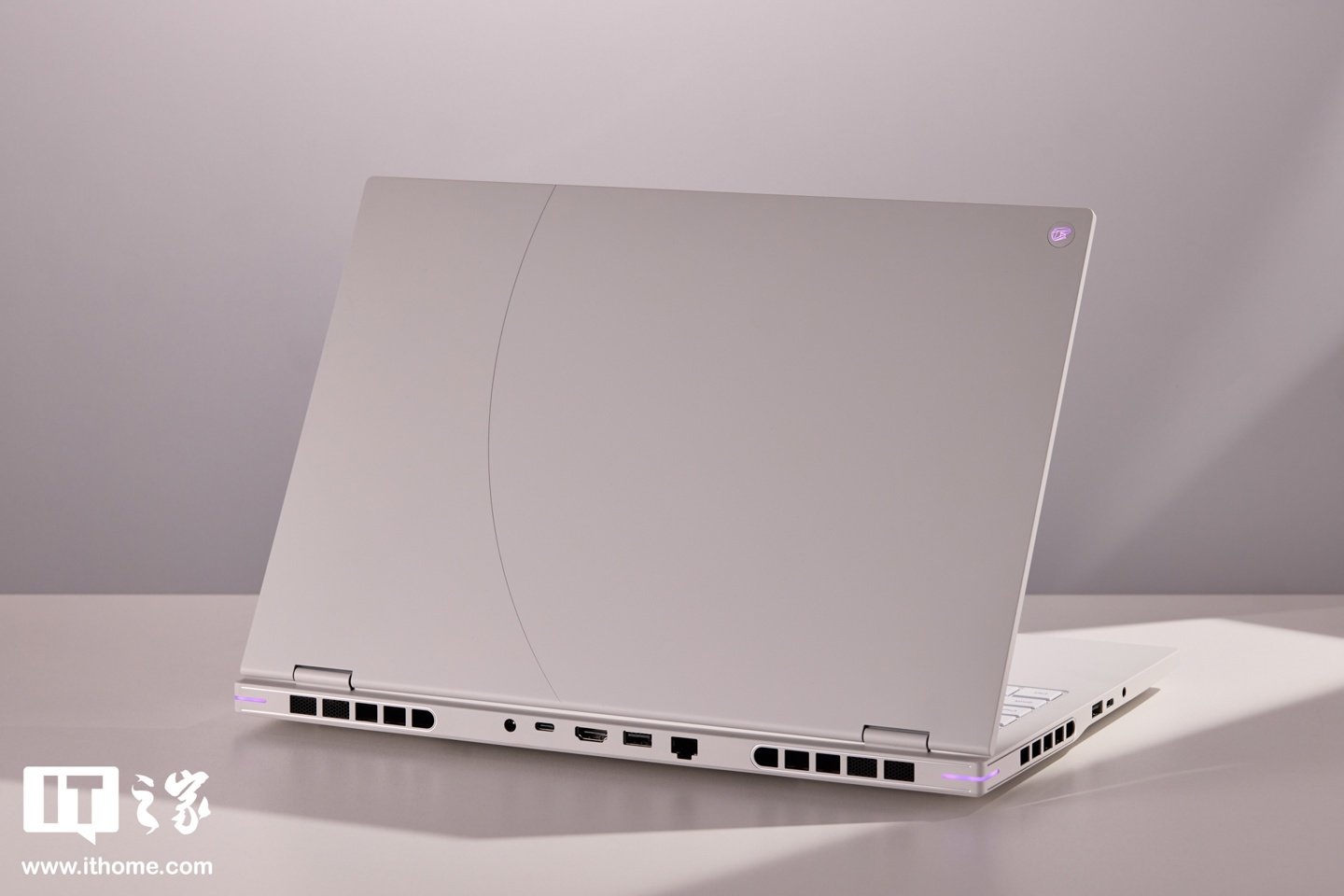
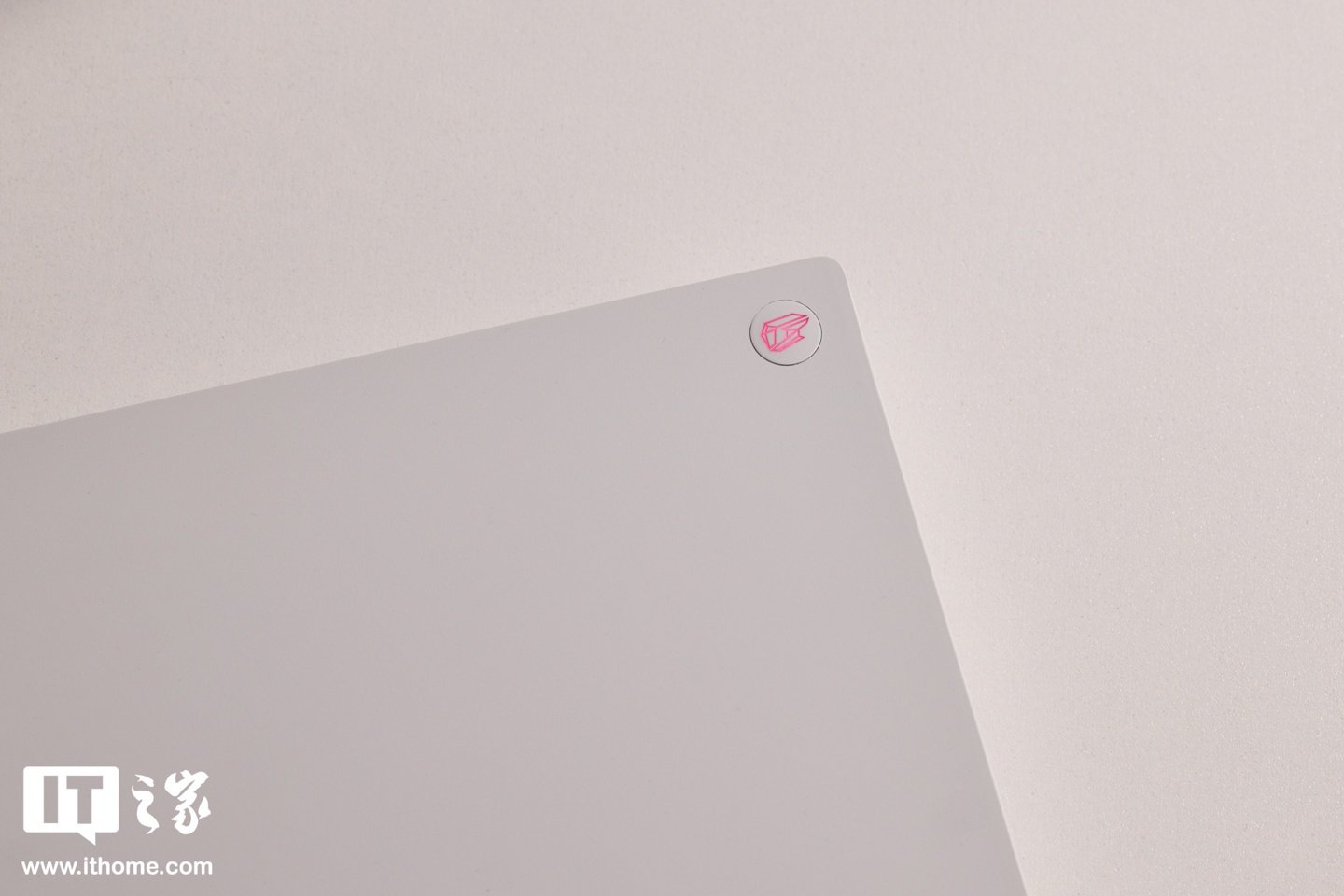
On the outside, IT Home tested the Star White version of the machine. The A cover uses a cosmic-ring-inspired design with CNC engraving and an aviation-grade aluminum surface. Colorful applies a matte passivation process that gives the metal a slightly warmer feel than bare cold aluminum, along with a nano protective coating designed to resist fingerprints, sweat marks, scratches, and wear.
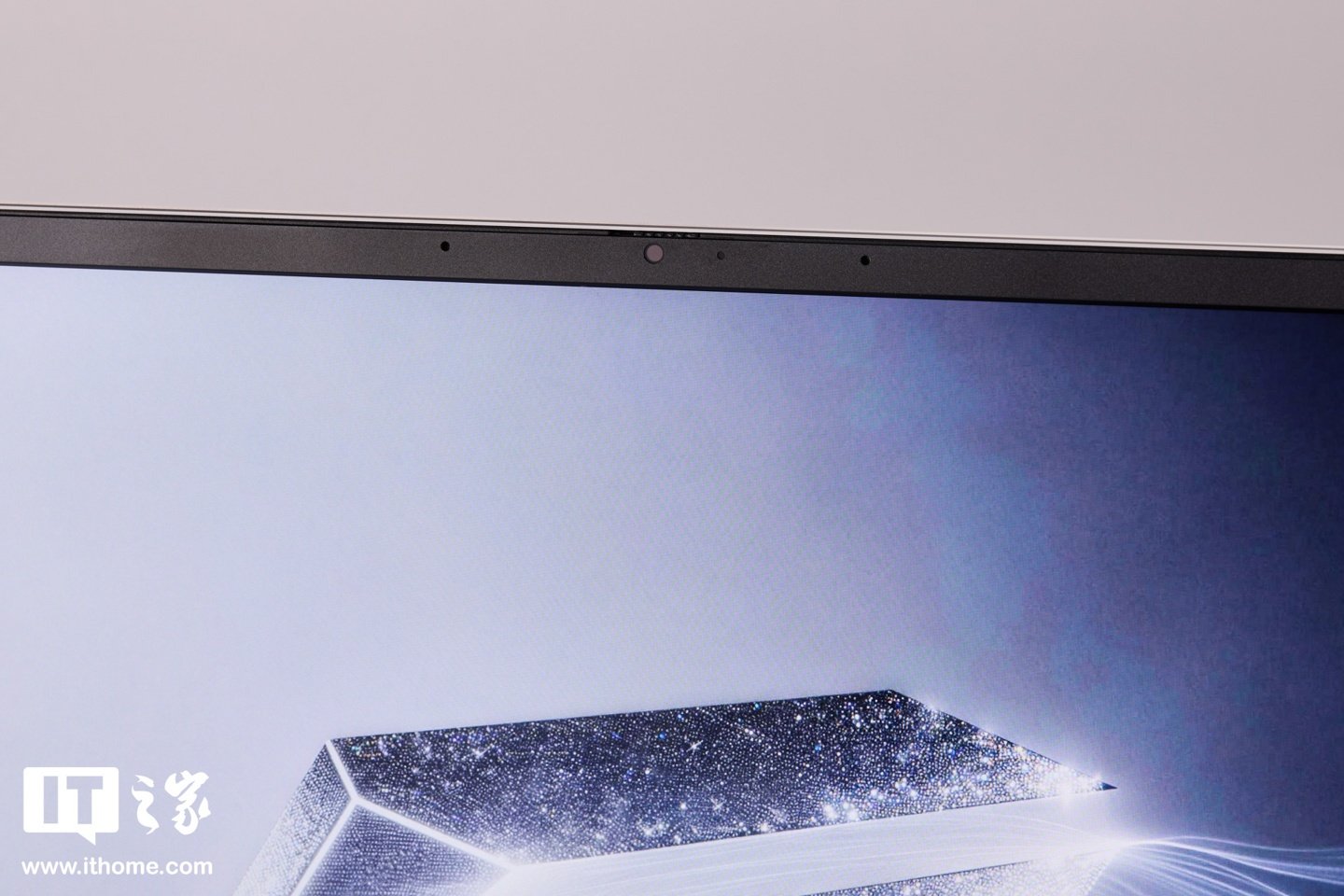
The hinge allows one-handed opening, and the 16-inch 16:10 display is surrounded by reasonably slim bezels. The webcam area includes a physical sliding privacy cover, while Windows Hello keeps quick facial login available when the camera is open.
The keyboard uses a full-size layout with a number pad, moderate key travel, clear rebound, and RGB backlighting controlled through Colorful’s software. The touchpad is large enough for everyday work and offers smooth movement with a firm click feel.
Ports are spread across three sides. The rear includes DC power, HDMI 2.1, Thunderbolt 4, USB-A 3.2, and a 2.5G RJ45 Ethernet jack. The left side adds USB-A 3.2, USB-C 3.2, and a 3.5mm combo audio port, while the right side includes another USB-A 3.2 port and an SD card reader. Thunderbolt 4 brings 40Gbps data transfer and display output, and HDMI 2.1 helps support multi-monitor setups.
The chassis measures about 19.9mm to 21.9mm thick and weighs roughly 2.35kg. For a 16-inch gaming laptop with an HX-class processor and a 115W RTX 5060 laptop GPU, that is a fairly controlled footprint. Colorful also includes a 280W GaN+SiC power adapter that is said to be around half the size of a traditional adapter with similar output.
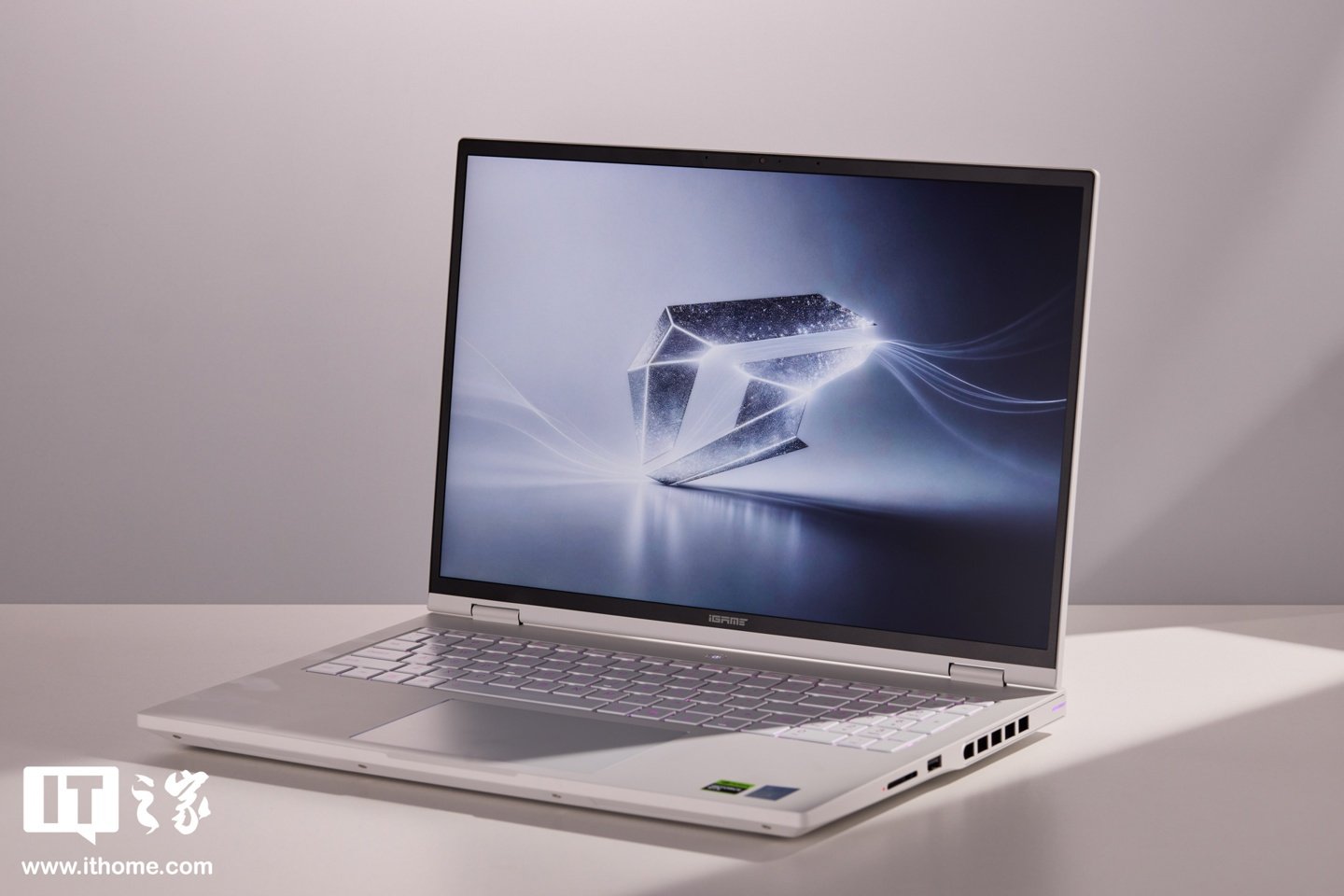
The display is one of the headline specs. The 16-inch “high-frame fantasy” panel has a 2560×1600 resolution, a 300Hz refresh rate, 100% sRGB coverage, 500 nits of brightness, a 16:10 aspect ratio, per-unit factory calibration with Delta E below 1.5, and a 93% screen-to-body ratio. The panel also supports ACR high ambient light display technology, which adjusts contrast in bright environments so the image does not look washed out.
Hardware configuration is equally aggressive. The first batch uses Intel’s Core Ultra 7 270HX Plus, an Arrow Lake Refresh chip built on TSMC N3B. It has 8 performance cores and 12 efficiency cores, for 20 cores and 20 threads total. The P-cores can boost up to 5.3GHz, L3 cache is 30MB, and combined CPU, GPU, and NPU AI compute is listed at 33 TOPS in Int8 workloads.
The GPU is NVIDIA’s GeForce RTX 5060 laptop GPU based on the Blackwell architecture. It includes 3,328 CUDA cores, 8GB of GDDR7 memory, a full 115W power limit, and 572 TOPS of AI compute. It supports DLSS 4.5 multi-frame generation up to 6x, fourth-generation RT cores, and NVIDIA Reflex 2.
In theoretical testing under the highest performance mode, discrete GPU mode, and Windows best-performance power settings, CineBench 2024 returned 134 points in single-core and 1,620 points in multi-core. CineBench R23 results were listed at 2,285 single-core and 31,091 multi-core for another tested configuration. CPU-Z scored 864.8 single-core and 13,891.9 multi-core, while 3DMark CPU Profile reached 1,292 in single thread and 13,301 at maximum threads.
Graphics testing was also strong for the class. In 3DMark Time Spy, the GPU score reached 12,077, while Time Spy Extreme was close to 5,633. Fire Strike delivered a 32,554 graphics score, and Fire Strike Extreme reached 15,350. These results suggest the RTX 5060 configuration is comfortable with modern 2.5K gaming when settings and upscaling are used sensibly.
Inside, the laptop uses Colorful’s “Xuanbing” cooling system: dual quiet fans with 67 blades each, six heat pipes, phase-change thermal material rated at K=8.5W/m·K, and four exhaust outlets with thin alloy fins. The unit also has two M.2 SSD slots supporting PCIe 4.0. The tested storage was a 1TB Yangtze Memory PC450 SSD, and memory was a single 16GB DDR5-6400 Crucial module. Wireless networking is handled by Intel’s AX211 Wi-Fi 6E card.
Battery capacity is 99Wh. With integrated graphics enabled, keyboard backlight off, and the screen at 50% brightness, IT Home measured about 8 hours and 23 minutes in PCMark 10 office battery testing. For an HX-class gaming laptop, that is a respectable result.
Thermal testing showed the CPU holding around 100W after 20 minutes of FPU load in maximum performance mode, with E-cores around 3.8GHz, P-cores around 3.7GHz to 3.9GHz, and temperature at 81°C. A 20-minute GPU load stabilized around 110W, with the GPU at 75.8°C, memory at 70°C, and frequency around 2,197MHz.
In combined CPU and GPU load, the CPU began around 85W and settled around 70W after 20 minutes, while the GPU continued at about 110W. Core temperatures were around 88°C. Noise in the highest mode reached 58.2dBA, which is clearly audible, so headphones are recommended for competitive gaming.
The quieter gaming mode is more interesting. It runs roughly 50W on the CPU and 95W on the GPU for about 145W total, while noise drops to 43dB. That is close to a quiet library environment and is part of the value of Intel’s AI Quiet Gaming Laptop Plus certification: the machine can remain usable in shared spaces without giving up all of its performance.
In games, Counter-Strike 2 at high settings averaged 158 FPS at the tested resolution, with a 1% low of 75.6 FPS. Dropping to 1200p high settings raised the average to 228.9 FPS. Valorant was far lighter, reaching an average of 447 FPS at native 2.5K maximum settings, with 1% lows at 233 FPS, which is enough to make real use of the 300Hz panel.
More demanding titles benefited from DLSS. A newer tactical shooter reached 130 FPS with DLSS Balanced, while a classic DX12 AAA title at native 2.5K high settings with DLSS Performance averaged 139 FPS. Cyberpunk 2077 at native resolution with low ray tracing and frame generation off averaged about 59 FPS, which is playable but clearly more demanding.
Black Myth: Wukong at native resolution and high settings averaged about 65 FPS without frame generation. Turning on DLSS frame generation raised performance to 99 FPS, 134 FPS, and 229 FPS depending on the multiplier. Even with full path tracing, the laptop reportedly reached an average of 117 FPS, showing how much DLSS 4.5 can help this class of GPU.
The review’s final impression was that the iGame M16 Origo is less about one extreme spec and more about balance. It combines strong performance, controlled thermals, a high-refresh 2.5K display, a polished chassis, and genuinely useful smart features. Voice power-on, proximity unlock, and phone-based presentation controls are not standard gaming laptop tricks, and they give the machine a more personal identity than another simple spec-sheet refresh.
For buyers who want a 16-inch gaming laptop that can handle games, stay relatively quiet in office use, and add convenience features that may actually be used every day, the iGame M16 Origo looks like a serious flagship entry from Colorful’s iGame brand.